







Freeview Digital TV Explored By FrequencyCast
If you've listened in to any of our podcasts, you'll know we're fans of this free-to-view service. This page includes some useful information on Freeview, plus some of the news snippets we've covered recently.
 What is Freeview?
Freeview is, as the name suggests, a free digital TV service. It uses your existing TV aerial to get its signals. All channels are free to watch, there's no installation or subscription cost and no engineer needs to visit (assuming you have a good enough aerial). By the end of 2012, the UK has to switch to digital, and Freeview is the cheapest way to make the switch.
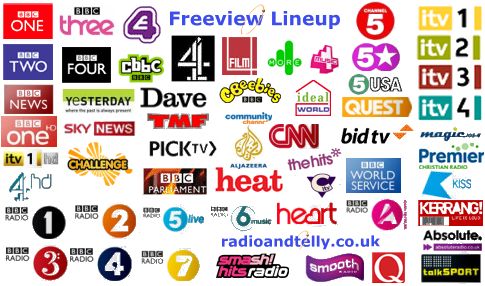
Freeview offers around 60 channels of digital TV and radio - considerably less than the Sky subscription service, but there's a solid lineup of channels to expand your viewing pleasure. Channels include BBC3, ITV3, ITV4, E4, Dave, Quest, Sky 3, BBC News, CNN, Film4, Yesterday and More4.
How do I get Freeview?
To get Freeview, here's what you need:
- Coverage: You must be in a Freeview coverage area. As of 2009, 75% of the UK should be able to get a decent Freeview signal via their TV aerial. Enter your postcode at www.digitaluk.co.uk/postcodechecker to see if you can get Freeview.
- Freeview receiver: You need a Freeview receiver. Newer TV sets and DVD recorders have a built-in Freeview receiver. For those that haven't, you'll need to buy a Freeview set-top box. Prices start from around £25.
Boxes are available from High Street stores, but you're most likely to find a better bargain online. Try Currys and Argos. If you're looking for some suggestions of Freeview set top boxes to go for, try the following:
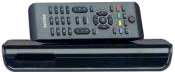 Philips DTR220 Priced £30.04 from Currys |
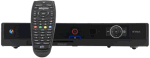 BT Vision box with built-in recorder and access to video over Broadband Box free to BT Total Broadband customers. |
 Icecrypt T5000 - For TVs with no SCART Priced from £25 from Amazon and Play.com |
|
How do I connect a Freeview box?
Assuming you've checked coverage and bought a box (as above), here's a very basic step-by-step guide on how to connect a Freeview box to your TV. This assumes the most basic setup, where you have an existing TV plugged straight into a TV. For more complex setups, see the Connection Advisor
- Unplug your TV aerial feed (the lead that comes down from the roof and goes into your telly), and plug it into the Freeview box aerial in (sometimes labeled "RF In")
- Take a flylead (aerial connector at both ends) from the Freeview box aerial out ("RF Out"), and connect it into your TV's aerial in socket
 Connect a SCART lead from the Freeview box SCART socket, into the SCART input of the TV. (No SCART?)
- Plug the Freeview box into the mains, and turn it on
 Turn the TV on, and select the AUX / AV / Line In feed - this will let you see the feed coming in from the SCART lead. On your TV remote, the button may look like the one pictured to the right. Refer to your TV's manual if you can't work out which button selects the AUX / AV / Line In feed
- Hopefully, you'll see the Freeview box on your TV. You next need to scan for the Freeview channels, which takes a couple of minutes, then you're ready to start watching!
Help and advice?
- For some basic troubleshooting, help with Freeview reception and advice on finding missing channels, see our Freeview Advice page , or take a listen to Show 14 of our podcast - This was a special Freeview podcast, where we discuss common Freeview problems
- Need some more technical advice? Try www.freeviewhelp.co.uk
- Want to get more from Freeview? See our Top Up Your Freeview page
- Looking for info on getting subscription-free satellite TV? See our Free TV page
Freeview Reception? Listen online to Show 14, where we discussed Freeview Reception issues - Listen online or download our free show. |
Freeview News
In each show, we round up the latest Freeview news, so stay tuned to our online show for news on new channels and services. You may want to register to get the latest!
For the latest news on new Freeview channels, please see the Freeview News page
Got a question on Freeview, or a news snippet to pass on?
Call 020 8133 4567 or post in our forum
Share This Page:


