






FrequencyCast on your Mobile
Got a mobile? Add a little FrequencyCast! Details of how to install FrequencyCast onto your Smartphone
iPhone / iPad / iPod Touch App
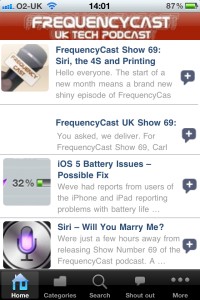
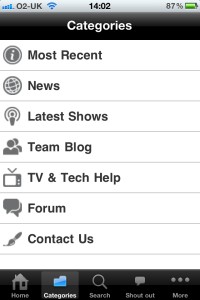
Got an Apple device? We have our own dedicated application that runs on the iOS platform.
Using this free app, you can listen to the latest episode of FrequencyCast, see our latest news stories, read Pete and Carl's blog, and see our new TV and Tech guide entries as we add them.
To install our free app, go to the Apple iTunes store and search for "FrequencyCast". Alternatively, click this link: FrequencyCast App on iTunes.
|
|
|
Alternatively, FrequencyCast is available via the iOS Podcast application, or the various third-party podcast applications. You can also listen to our streaming radio service on applications such as TuneIn Radio and RadioBOX. Just search for FrequencyCast.
Google Android Phones
 Until 2012, FrequencyCast had a dedicated Android application, however the providers of the application, Genwi, have ramped the price up to a staggering $1,200 a year for hosting the application, and that's something we just can't afford. We are looking for alternative options, but with limited budget and limited support from our listeners, it looks like this isn't an option for us just at the moment. HOWEVER...
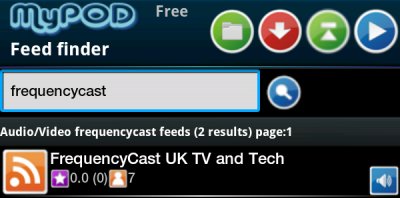
Our shows and website are fully supported on the Android platform. You can subscribe to our shows and play them on your Android phone or tablet FREE. There are several free podcast players for Android, but we're quite keen on the free MyPOD podcast manager application from Google Play.
Select "Add and find feeds" and search for "FrequencyCast". You can then add our feed and have the application automatically download new shows as they're released.
|
|
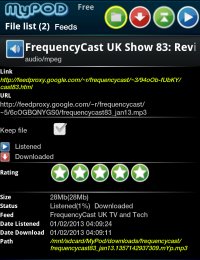
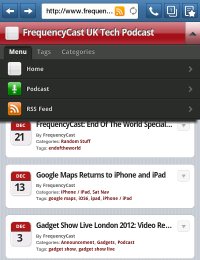
You can add our feed (below) to any of the podcasting applications on Android, or you can listen to us via our streaming radio service on free radio apps such as TuneIn Radio
Other Smartphones
If there is a podcast application available for your smartphone, you should be able to subscribe to and play our podcast easily. All you'll need is our feed address:
FrequencyCast Feeds
|

Our News section has been optimised for use on a number of smartphones, including Apple, Android and Blackberry devices. Go to www.frequencycast.co.uk/news
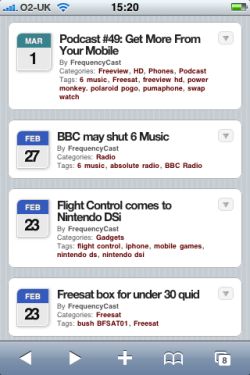
Podcasts on your mobile?
Looking to listen to our TV and Tech Podcasts on your mobile? These links may help:
Other links
- SWAP watch - Details of this mobile phone in a watch
- Mobile Phone Comments - What our listeners think of their mobiles
- Mobile broadband - How to get the Internet on the move
- FrequencyCast on your mobile - Ways to listen to us from a mobile phone
Share This Page:


