






Choosing a new TV
If you're thinking of buying a new TV set, there's a lot to consider these days. To try to make your choice easier, here are some notes on what to look for, and a guide to some of the terminology you may encounter.
We covered this in Show 25 - this page provides you with an overview of what you need to know:
|
Listen to our guide on how to buy a new TV (from Show 25)
|
Types of TV
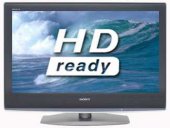
There are several different types of TV set out there. Here's our quick summary, including the pros and cons:
- LCD (Liquid Crystal Display) - A backlight shines through a matrix of tiny transistors and liquid crystals. Regarded as best value for money. They use around 60% less energy than older CRT TV sets, and don't suffer from flicker or image burn. On the downside, pixels can die, and the backlight may need replacing.
- Plasma. This has a layer of gas sandwiched between two electrically charged plates. Good quality, flatscreen, Plasma has the edge over LCD when it comes to displaying fast-moving images. On the downside, there's a small risk of picture burn, the gas becomes less responsive over time, Plasma screens are more fragile, and they take more energy than LCD.
- DLP (Digital Light Processing) - Uses hair-width mirrors and projection technology. Better contrast ratio than LCD and plasma. They take up more space than LCD and Plasma, and as they use projection technology, there's an issue of bulb life.
- CRT (Cathode Ray Tube) - The original type of telly, with a large glass tube at the back. Cheap, but bulky. Not overly energy efficient. Not "flatscreen".
Screen size
Typically, this is measured in inches, and is the diagonal corner-to-corner length of the viewable area. You'll also probably be wanting to go for a widescreen, as most of today's content is recorded with widescreen in mind.
High Definition?
Should you go for High Definition? Well, it certainly offers better quality than standard definition TVs - the colours are more vibrant colours, there's greater detail and the picture's really crisp. At the moment though, you can only get HD content from Sky or Virgin's HD service - which we discussed in Show 23. As we can expect to see more HD content and services in the future, it's certainly worth considering getting an HD-Ready TV, even if you don't want to sign up to an HD service yet. There are over 30 HD channels available on Sky, and by 2012, there will be five HD channels available on Freeview, so it may be worth considering getting an HD set rather than a standard definition one.
If choosing a High Definition TV, you'll see reference to 720 or 1080 - this is the number of lines the TV supports (standard telly is 576 lines). Then there's a 'p' or 'i' at the end (standing for the picture type - progressive or interlaced), with progressive being better. So, in order of HD quality, it's: 720i, 720p, 1080i, then at the top, 1080p. Sky Digital is the biggest HD provider - They use 1080i format, although boxes can be switched to 720p
More on High Definition: Our HD Page ; Show 23 on HD ; Sky HD
Connectors
It used to be simple - all a TV used to have, was a mains plug and a single aerial socket for a TV aerial... nowadays, sockets are a minefield. Here's an overview of some common connectors to help you make a choice:
- Aerial coaxial RF - for your standard TV aerial
- HDMI in - For High Definition. Consider getting two HDMI sockets - one for Blu-Ray, and one for a Sky or Virgin box
- SCART - For connection to your DVD recorder, video recorder, Freeview box, etc. Two at a minimum, more if possible.
- Component video in (PB/CB, PR/CR, Y) phono sockets - for games consoles, camcorders
- S-Video (4-pin mini DIN) for camcorder connection (no audio)
- Audio in and Audio out phonos - for hi-fi and sound systems
- PC input (15 pin D socket), so you can watch the output of your PC or a Windows Media Centre
- Headphone socket
- CAM slot - For Freeview subscription services. You need to buy a CAM (Conditional Access Module), which accepts a viewing card.
If you're looking for TV connectors and cables, we recommend TV Cables
Freeview Digital TV
From October 2012, UK TV services are fully digital, and to watch telly, you need a digital TV receiver. New TV sets come with a built-in Freeview digital TV receiver, so if you're in a Freeview coverage area, you'll be able to get around 70 TV and radio channels via your TV aerial.
Positioning
Wanna put it on the wall? Check if a wall-mounting kit is included, and that your wall can take the weight. Otherwise, look for a decent stand.
Contrast ratio
This can be something of a red herring. Contrast ratio is the difference between black and white. The larger the ratio, the more difference between the two extremes... If you're looking for a plasma screen telly or a home cinema projector, you may see numbers like 3000:1 , 5000:1 and 10000:1.
Back in Show 15, we had an email from Linus, who pointed out the following... "sales folk are keen to push 'bigger is better', but unless you watch your telly in a pitch-black room, you could be wasting your money going for big-number ratios. In a living room with moderate ambient light, anything higher than a 500:1 ratio wouldn't be perceivable by the eye."
Your questions...
We have bought a new HD ready TV. We were told we needed to buy a satellite HD digital box to view in HD? Can I still view Freeview as well as Freesat on our TV? (Chris Hunt, Nov 2008)
Yes you can. You can connect your Freesat HD box to the TV using an HDMI lead, and watch Freesat via the TV's Line In feed. If your TV has Freeview built-in, you can still watch Freeview. Also, assuming your TV has a SCART socket, you can connect a standard definition set-top box as well.
Hopefully that's given you a feel for what you need to look out for. Is there anything we should add to this page? Anything we've not explained well? Please let us know.
Got a question on digital TV that we can answer in our next podcast?
Call 020 8133 4567 or ask in our forum.
Listen to our guide on how to buy a new TV (from Show 25) |
Useful links
- DVD Recorders - Help and advice with recordings
- Digital Switchover - Information on making the switch to Digital TV
- The Wand - Novel TV remote control in a magic wand
Share This Page:


