






PoGo Pocket Printer from Polaroid Explored
Information about this handheld, rechargeable, ink-free photo printer. FrequencyCast reviews the Polaroid PoGo Instant Printer.
Hear our audio review of the Polaroid PoGo |
What is the PoGo?
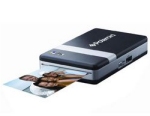 Taking photos from your mobile phone is great - and sharing those photos with your friends has just got a little easier. Polaroid has been famous for instant photo printing since the 1970s, and that they've brought out a 21st century solution for printing out your photos.
Here's what's special about the Polaroid PoGo:
- Handheld with rechargeable battery
- No ink needed
- Connects to your phone or camera with Bluetooth or USB (PictBridge)
- No computer needed
- Photos in 60 seconds
Polaroid PoGo Availability:The Polaroid Pogo is available for around £30 from:
|
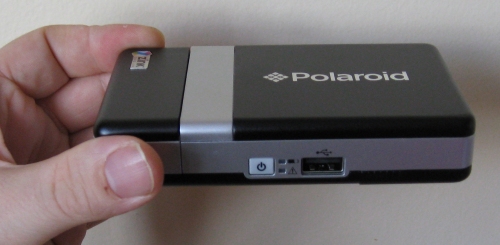
Using the Polaroid PoGo is a piece of cake - insert a pack of photo paper (available in packs of 10 or 30 photos), switch it on, and beam a photo from your phone's camera using Bluetooth.
The process takes under 2 minutes, and you've got a dried picture in your hand. Here's us holding the first picture off the press.
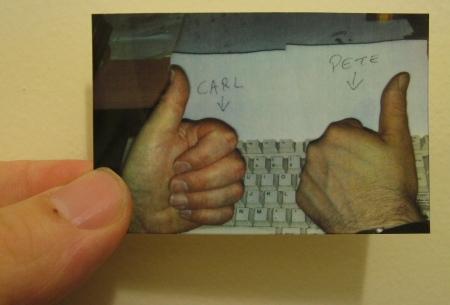
Picture quality's pretty impressive - the actual prints are a little on the small side at 7.6 x 5cm.
So you can see the quality - we scanned in the photo using a 600dpi scanner - here's an extract from the scan of our photo...
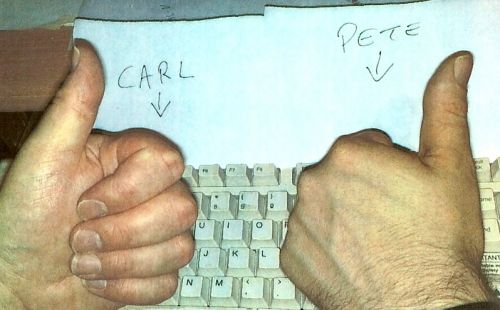
Not bad - and all the better for not needing expensive ink cartridges. The paper used in the PoGo comes in packs of 30 - making the cost of a print around 27p, which is pretty reasonable. The paper also has peelable back, in case you happen to want to turn your photos into stickers.
All in all, we're pretty impressed with the Polaroid PoGo handheld printer, and we're happy to recommend it.
The PoGo is supplied with a mains charger, rechargeable battery and a pack of 10 sheets of photo paper.
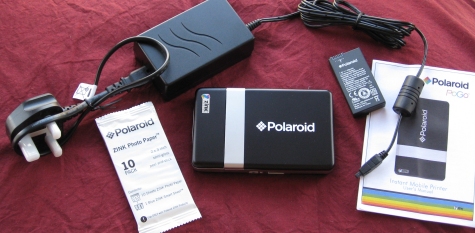
The contents of the Polaroid PoGo Box
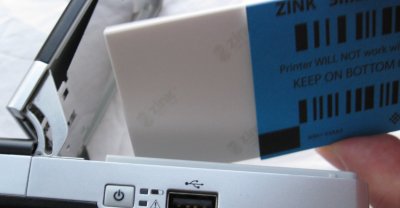
What's with the Polaroid Pogo Blue Card? Packs of ZINK Photo Paper come with a blue sheet, called a ZINK Smart Sheet, with the warning "Printer WILL NOT work without this sheets. Keep on bottom of 10-pack. Some folk out there in Internet-laden have commented that it's not obvious exactly which way up the blue card needs to go, and why it's needed. Here's what we know:
|
Polaroid PoGo Questions:
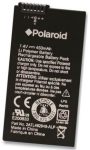 Q. Where do I get a spare battery for a Pogo?
- Spare batteries for the Polaroid Pogo can be found at Play.com, Amazon, and Firebox.com (Click on accessories).
Note that a spare battery costs around £20, and a PoGo costs around £30. It's might work out better to get a new PoGo just for the battery, and keep the PoGo as a spare.
Q. Where do I get PoGo Paper?
- You can get Pogo Zink paper from Play.com, Amazon, and Firebox.com (Click on accessories).
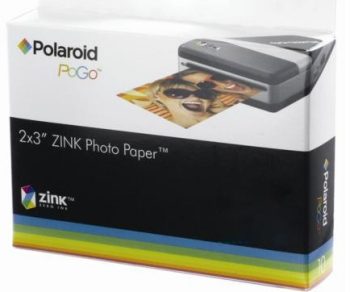
Polaroid Zink Photo Paper For PoGo Instant Mobile Printer
Q. Where do I get a replacement blue card?
- Each pack of Pogo paper includes a blue card. Open a pack of Pogo Zink paper, and you'll find a new blue card.
Q. Where do I get a PoGo charger?
- We've been asked for help tracking down a replacement mains charger for the Polaroid Pogo. Sadly, it seems one's not available. You could try giving Palaroid UK Support a call on 01782 753327, or, given that the Pogo is now so cheap, buy a new PoGo for spares, a new charger and a spare battery..
Got a question on the Polaroid Inkless PoGo Printer? Call 020 8133 4567 or send us a message
Share This Page:


