The show notes to go with Show 30 of our online technology radio show.
|
Listen to FrequencyCast Show 30
|



Here’s what we discussed in Show 30:
| NEWS |
This show’s news section covered the following stories:-
|
| Focus: Watts |
If you’re prepared to filter out all of the puns on the word “Watt”, you’ll find that this show looks at power consumption. We covered: How to calculate how much a piece of kit costs to run: See our How Many Watts page The cost of running household and tech kit: See our How Many Watts – Cost
The ecobutton is available for £15 from I want one of those
|
| Focus: Phones |
We took a look at a collection of smartphones in this show – the phones owned by the FrequencyCast team. Here are the phones we covered:
|
| Interactive | Thanks to everyone who got in touch. In this show, we respond to the following mails and calls:
Any questions for Carl & Pete? Got a comment on the world of TV and Technology? |
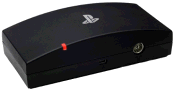 Freeview on your PS3: Freeview’s coming to the Playstation 3 from the 19th of September. For £70, you can buy PlayTV, which supports Freeview, has a 7 day EPG, turns your PS3 into a digital recorder.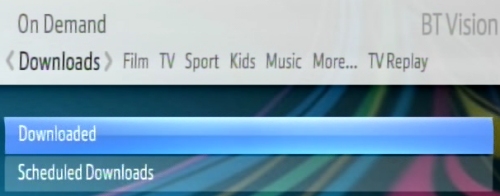
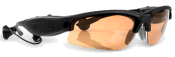 And finally: Fancy yourself as a spy? There’s a new set of sunglasses on the market with a built-in 1.3 Meg camera. The glasses have 1 gig of onboard memory for photos, and the camera trigger is via a wireless keyring for clandestine snapping. Battery lasts for 9 hours, oh, and they also have an onboard MP3 player. Supplied with clear and polarised lenses. To get your snappy shades, go to
 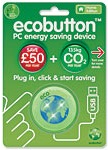 We also mentioned the ecobutton – pictured to the right. This is basically a button that you plug into one of your PC’s USB port. If you’re planning to leave your PC for a while, press the button and it’ll put your machine into a power-saving mode. Start-up on return is fast, and the software shows you how much you’ve saved (££s and Carbon) by pressing the button.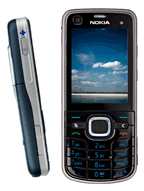
Comments? Please post them in our forum.
Enjoyed the show? Add us to iTunes, sign up to get email alerts, or consider adding a nice iTunes review
|
Get email notifications when a show is released
We won’t spam you, and your email address won’t be shared to third parties
|
Want new shows as soon as they’re released?Get FrequencyCast shows automatically, as soon as we’ve finished them:
|
